To make sure your recurring orders (DCA) always have sufficient funds, you can set up an automatic bank transfer from your bank account to NBX.
This allows NOK to be transferred to NBX at regular intervals without manual action.
The steps below are based on a typical Norwegian mobile bank. The exact wording and layout may vary slightly depending on your bank.
Step 1: Go to Payments and Find Fixed Payments and Transfers
Open your bank’s mobile app and navigate to Payments.
Within Payments, look for a section called:
Fixed payments and transfers
Recurring transfers
Standing orders
This is usually where you can set up your own recurring payment agreements.
Step 2: Create a New Fixed / Recurring Transfer
Choose the option to create a new fixed or recurring transfer.
Make sure you select a bank transfer, not:
Card payment
AvtaleGiro
eFaktura
Step 3: Enter Recipient Details 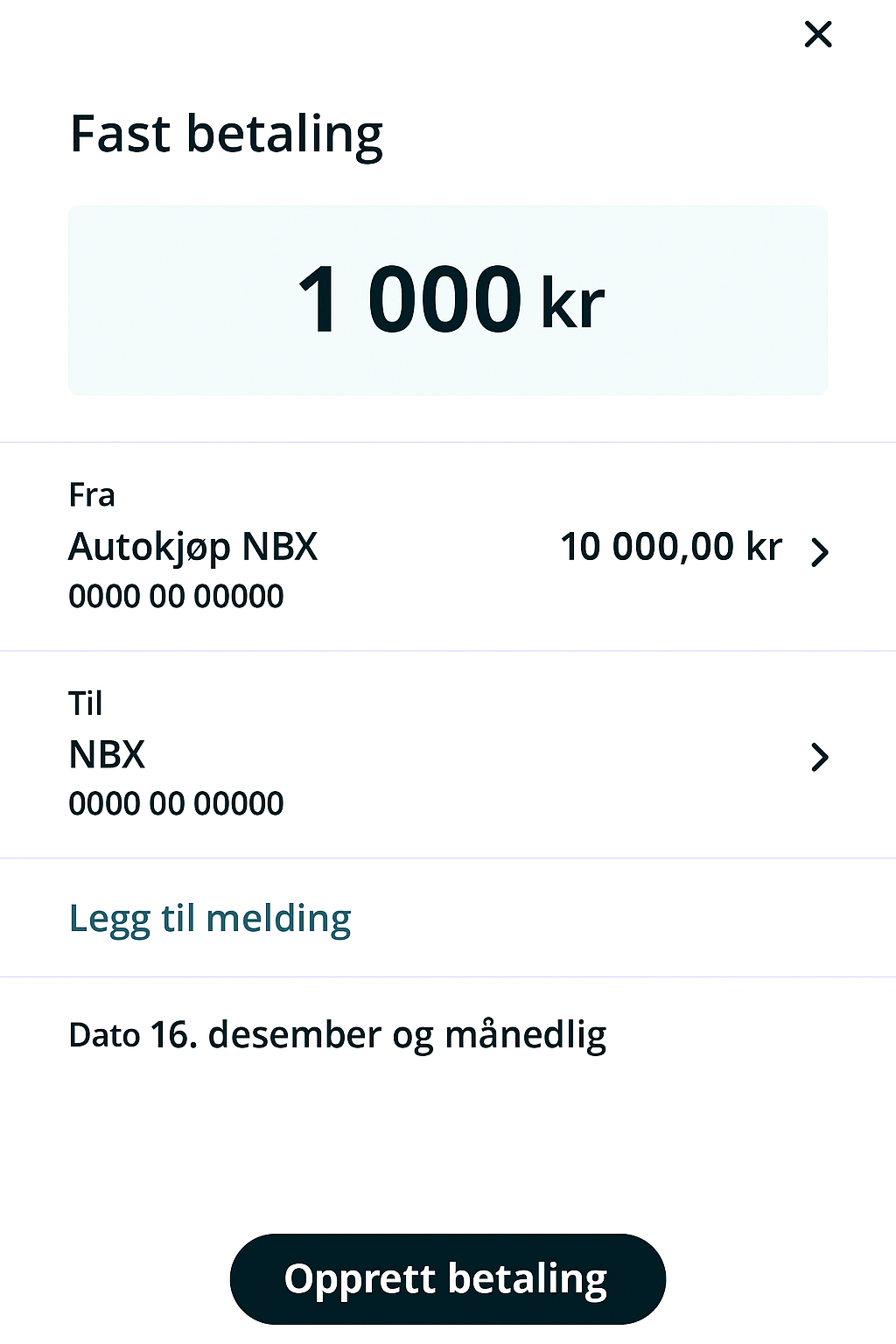
Fill in the recipient information as follows:
Recipient name: NBX (Norwegian Block Exchange)
Account number: 3633 69 33719 NBX’s bankaccount number
Always use the account number shown on NBX to ensure the transfer is credited correctly.
Enter Transfer Amount
Enter the NOK amount you want to transfer each time
(for example: 1,000 NOK).
Choose an amount that covers your recurring orders.
Step 4: Choose Frequency 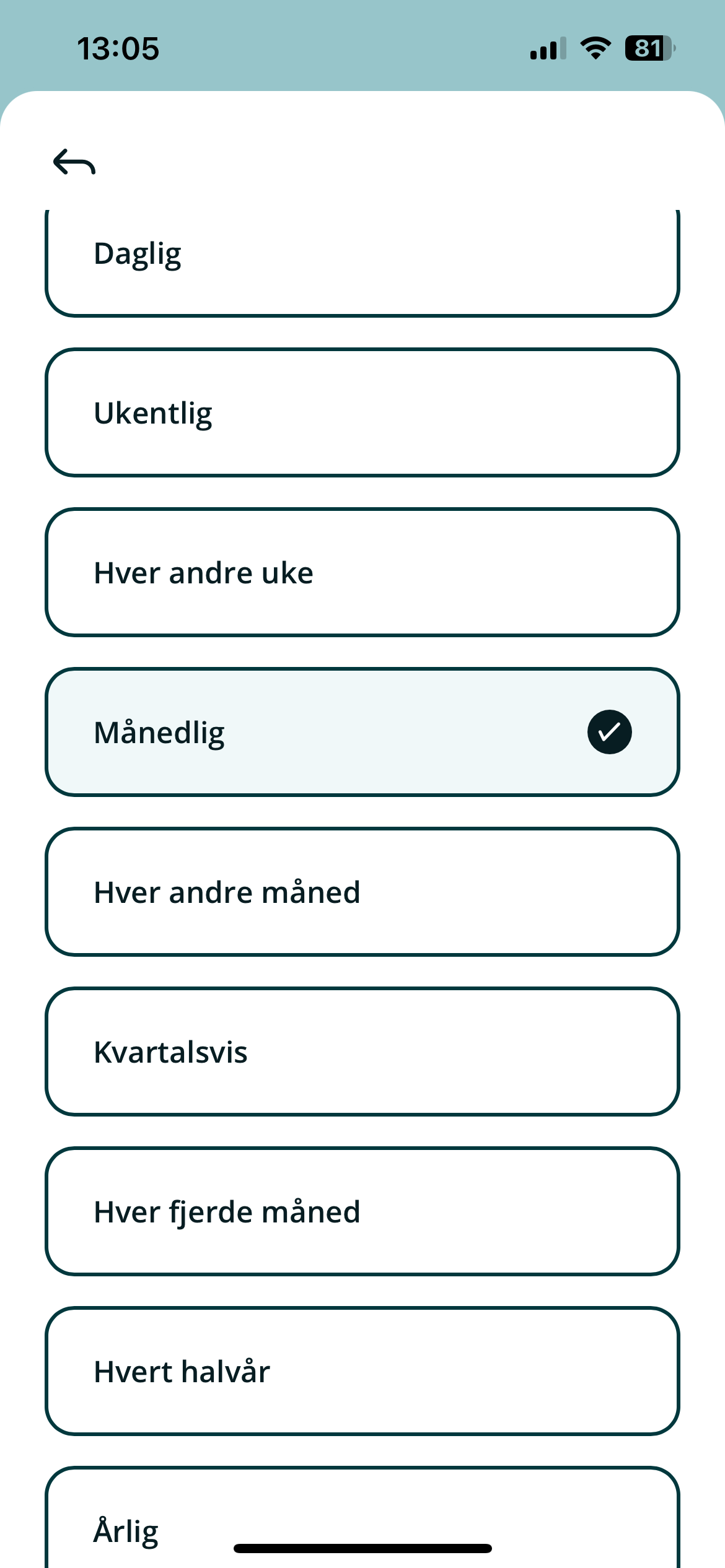
Select how often the transfer should repeat. Common options include:
Weekly
Monthly
Every two weeks
Quarterly
For most DCA setups, monthly or weekly transfers work best.
Step 5: Select Start Date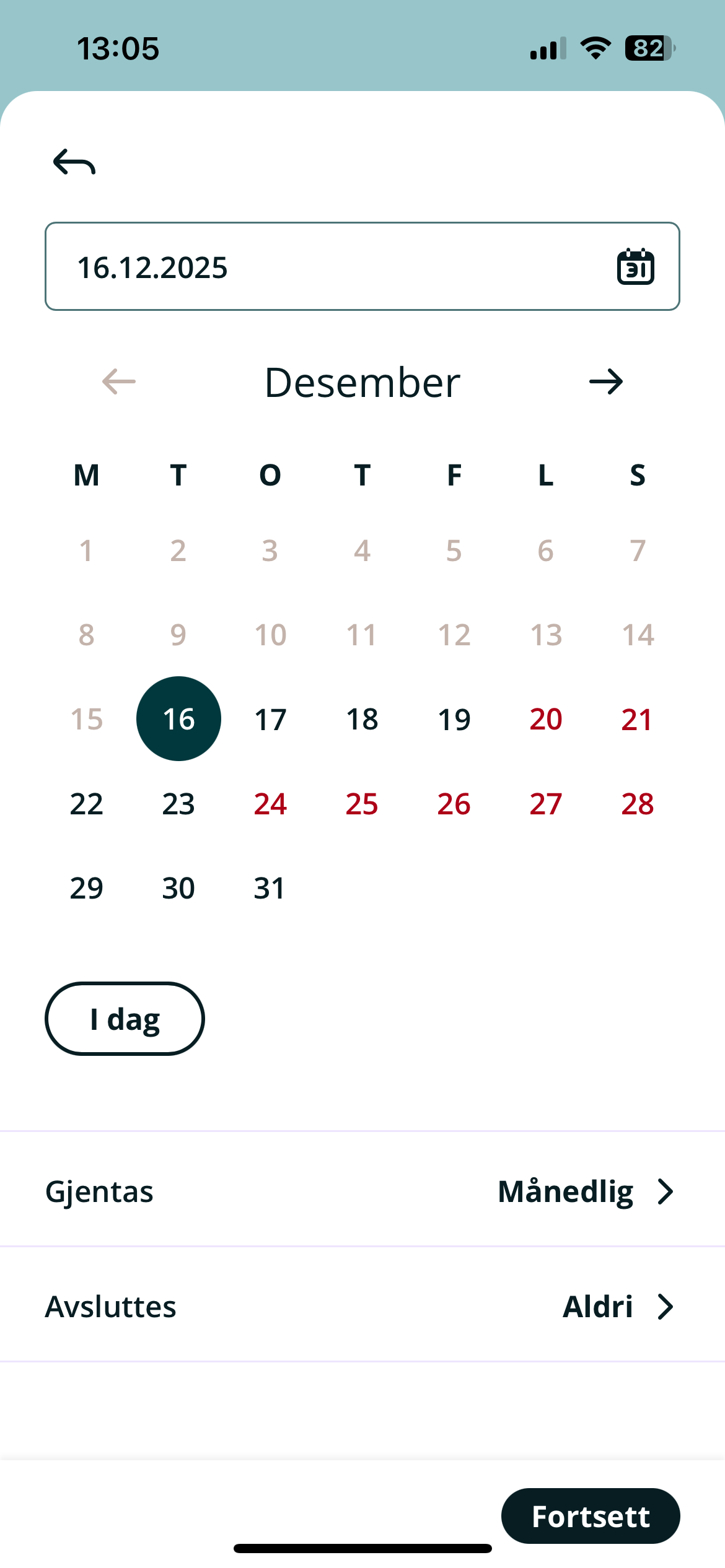
Choose the start date for the transfer.
Tip:
Set the transfer to occur before your recurring order runs on NBX
This ensures funds are available when the order is executed
Step 6: Choose End Date (Optional)
Most banks let you choose:
No end date (recommended)
Or a specific end date
Leaving the transfer open-ended ensures continuous funding.
Step 7: Review and Confirm
Review all details carefully:
Recipient
Account number
Amount
Frequency
Start date
Confirm the setup using your bank’s normal authentication method.
Once confirmed, the automatic transfer is active.
What Happens After Setup?
Funds are transferred automatically from your bank to NBX
The balance becomes available in your NBX account once credited (1 - 2 business days)
Your recurring orders (DCA) will use this balance automatically
No further action is required unless you want to make changes.
Important Notes
Automatic bank transfers are managed entirely in your bank
NBX cannot modify or cancel the transfer on your behalf
If your NBX balance is too low, a recurring order may fail
You can change or cancel the transfer at any time in your bank app